Payroll Updates
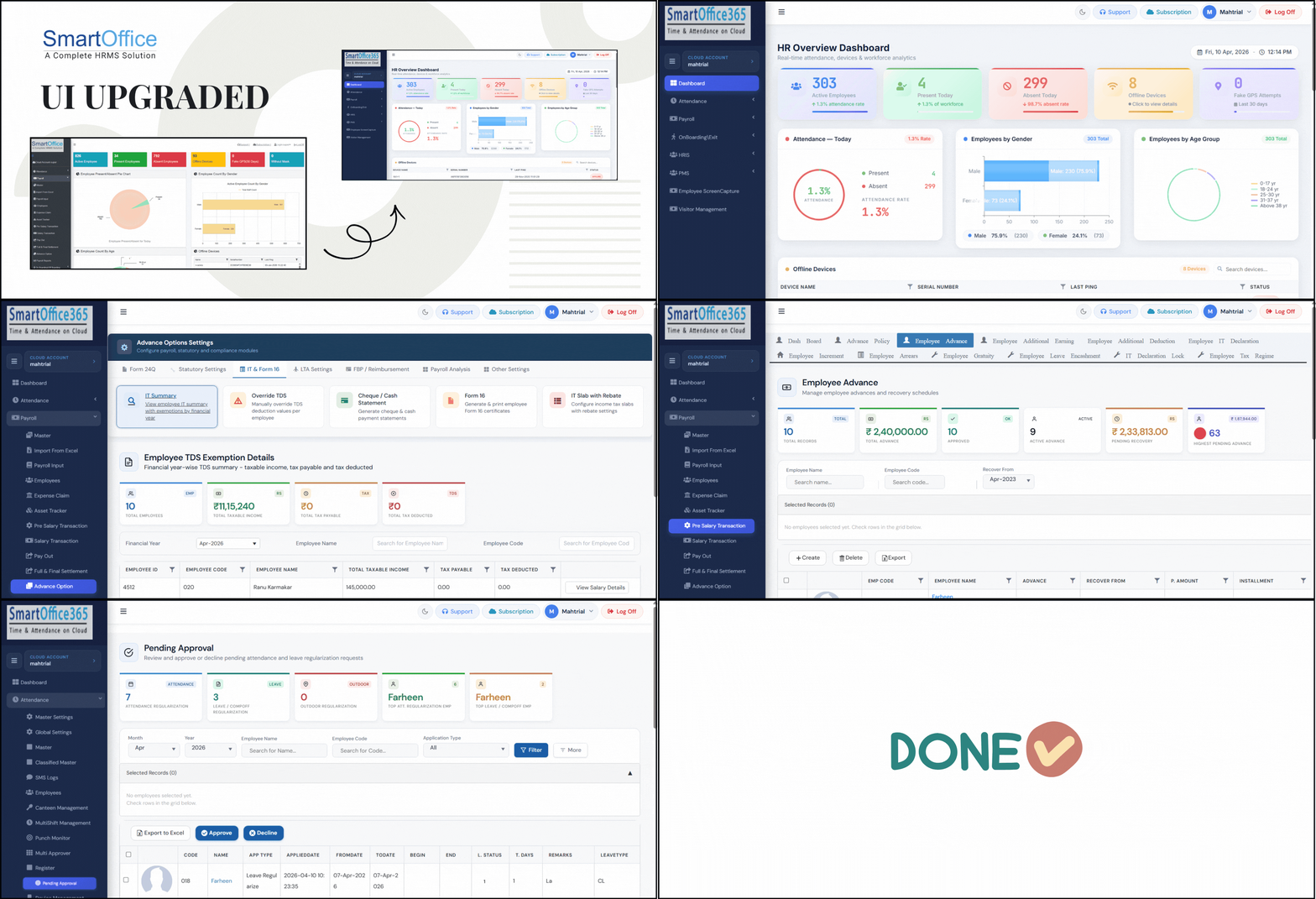
1. Our software got smarter, faster and cleaner with upgraded UI. Now, each window includes a summary section displaying key data relevant to that screen for quick insights, features can be easily located and understood, options have been more appropriately grouped, actions can be completed with reduced clicks and more validations have been introduced.
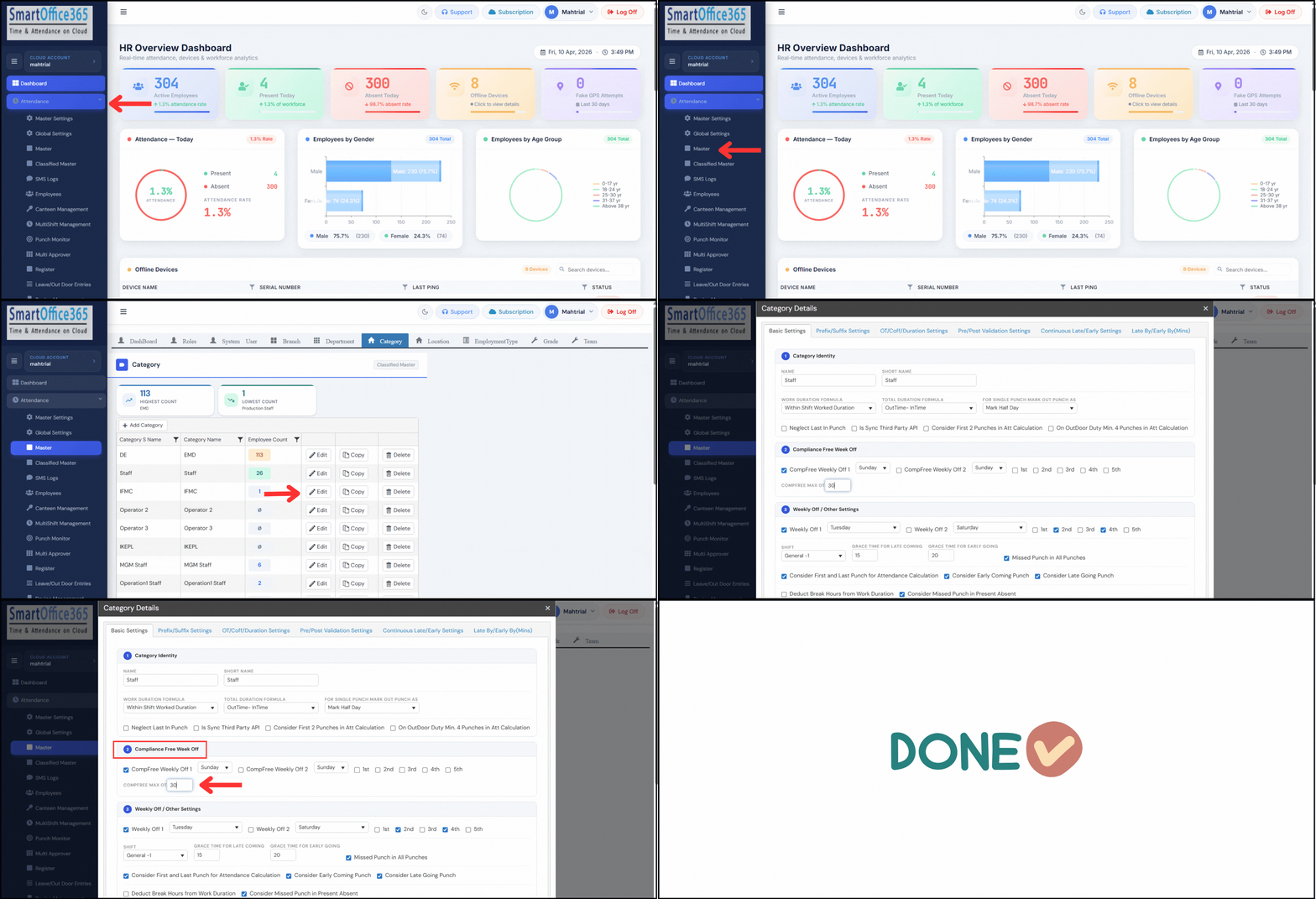
2. OT compliance management option introduced – Now you can identify/differentiate the number of hours worked towards OT or Production.
a) Navigate to Master > Category and edit the category for which you want to set the OT limit.
b) In Basic Settings, configure the compliance-free week off settings and the daily limit.
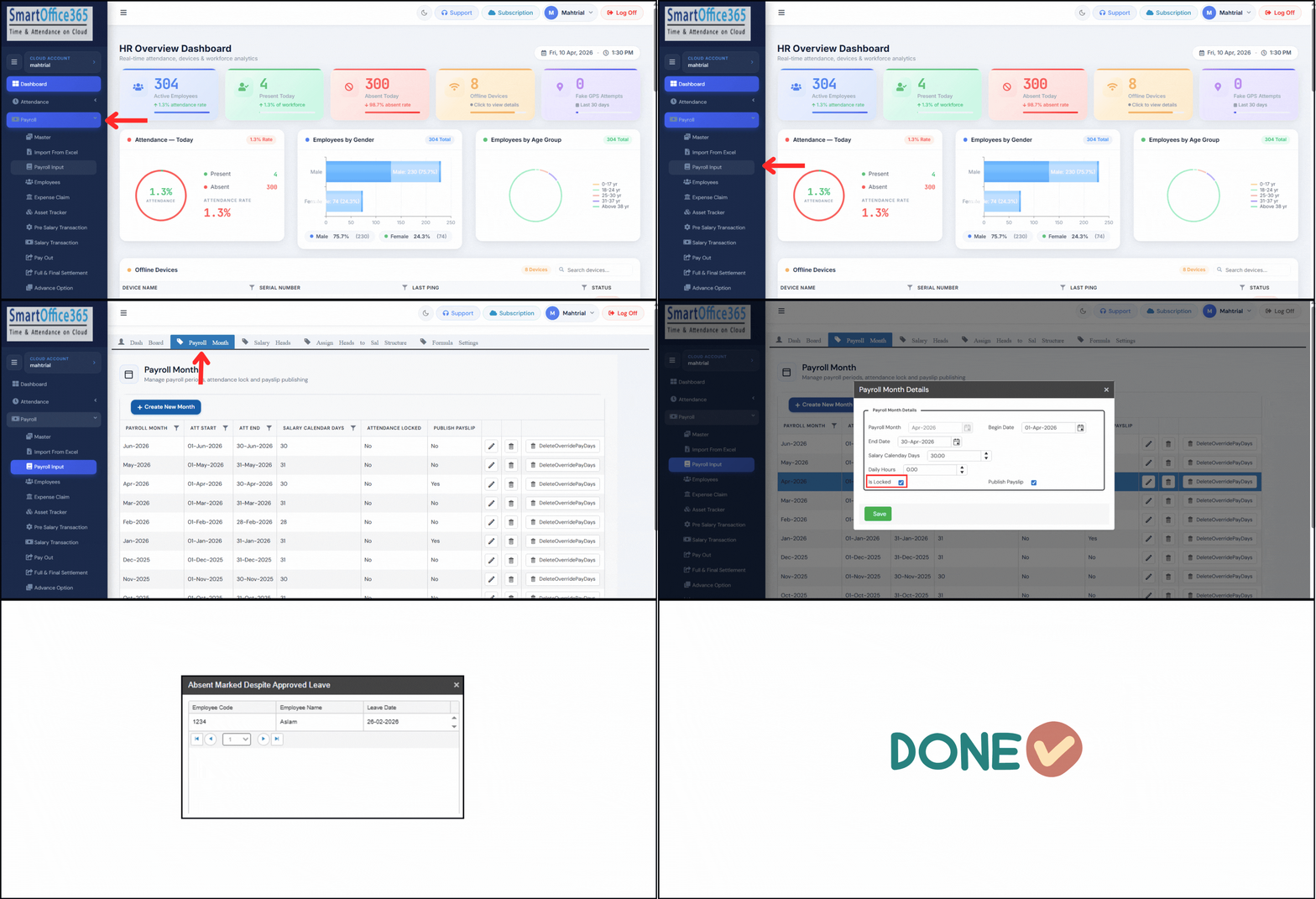
3. While creating a new month, or locking an existing month, if there are any recalculation is pending, relevant notification & details will show.
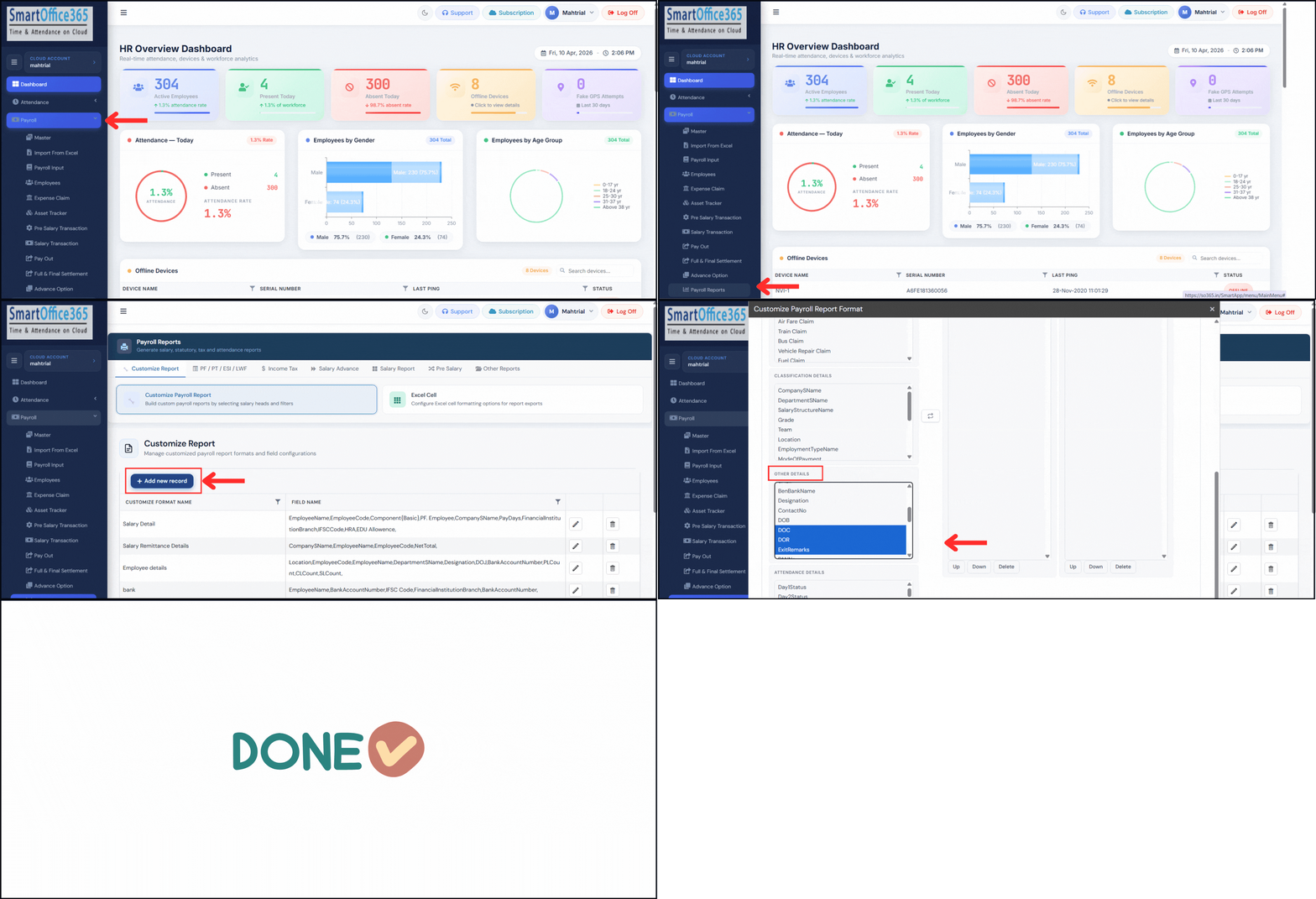
4. More variables added in Custom report related to confirmation & resignation (DOC, DOR, Remarks) allowing you to generate better & detailed reports.
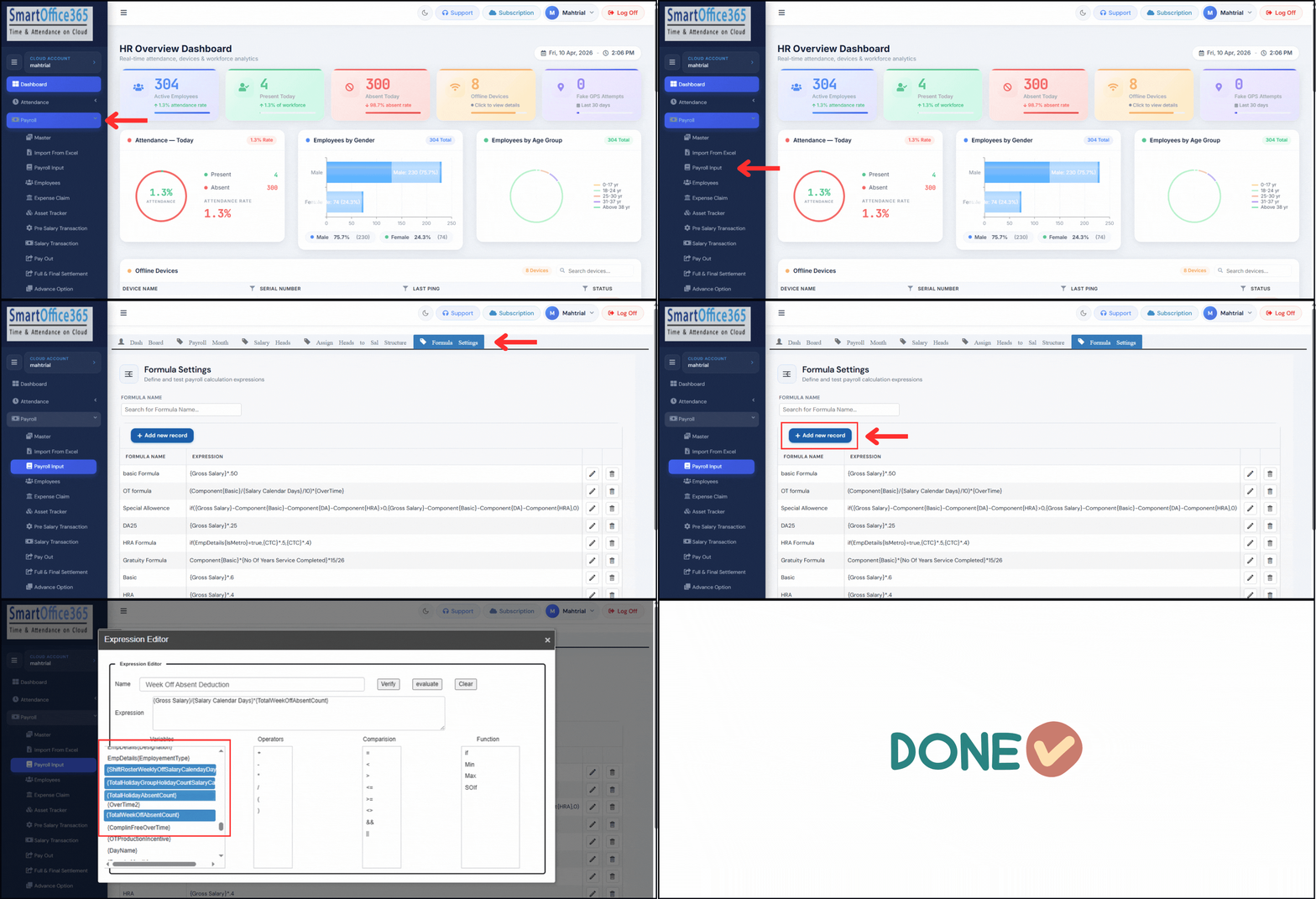
5. More variables added in Formula for accurately managing salary calendar days for resigned employees. And variables are also provided to pick accurate weekly off or holiday absence count when prefix and suffix is applied. This is especially useful when using double deduction on unapproved leaves.
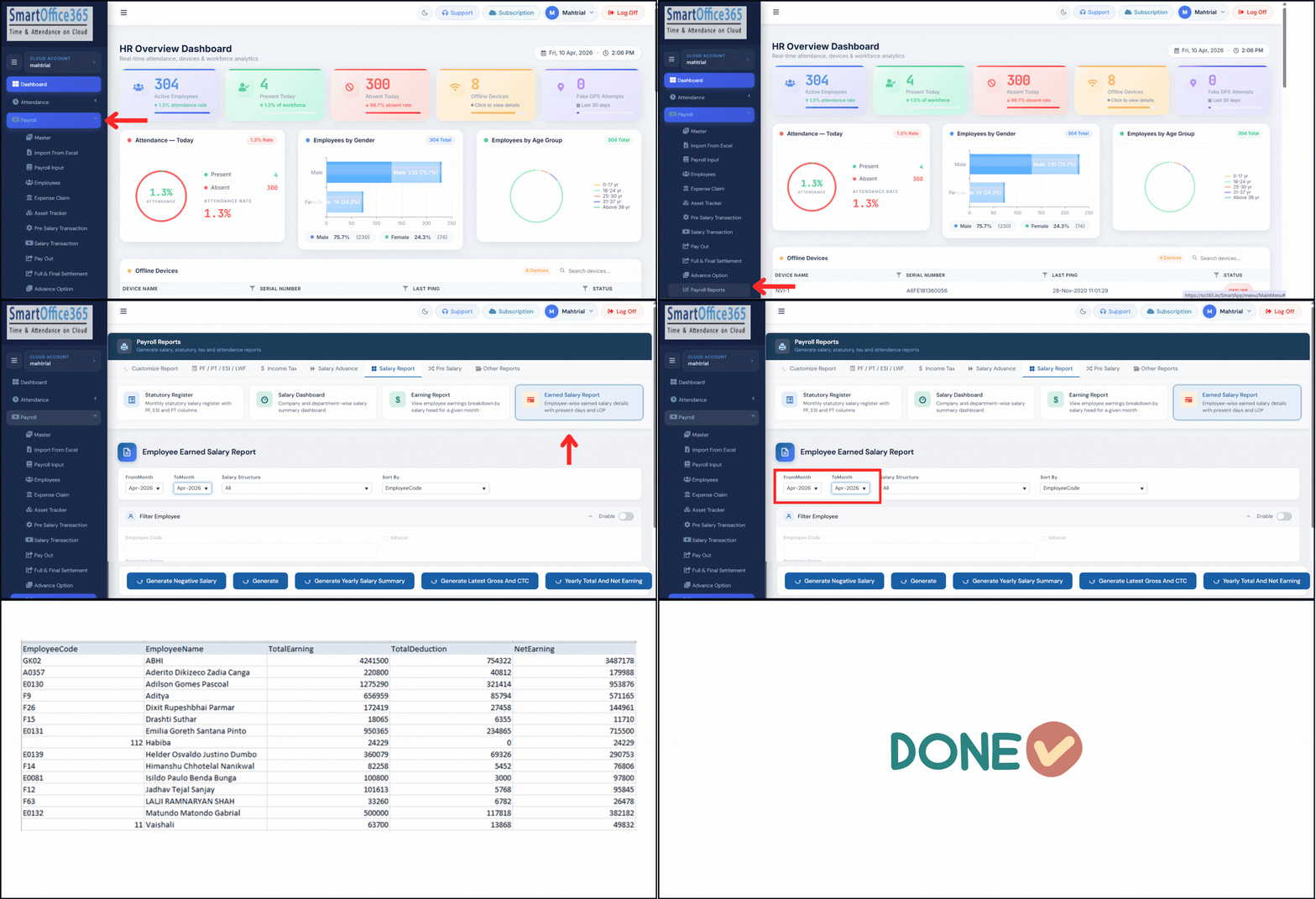
6. Generate summary report for quick checks on a monthly or yearly basis.
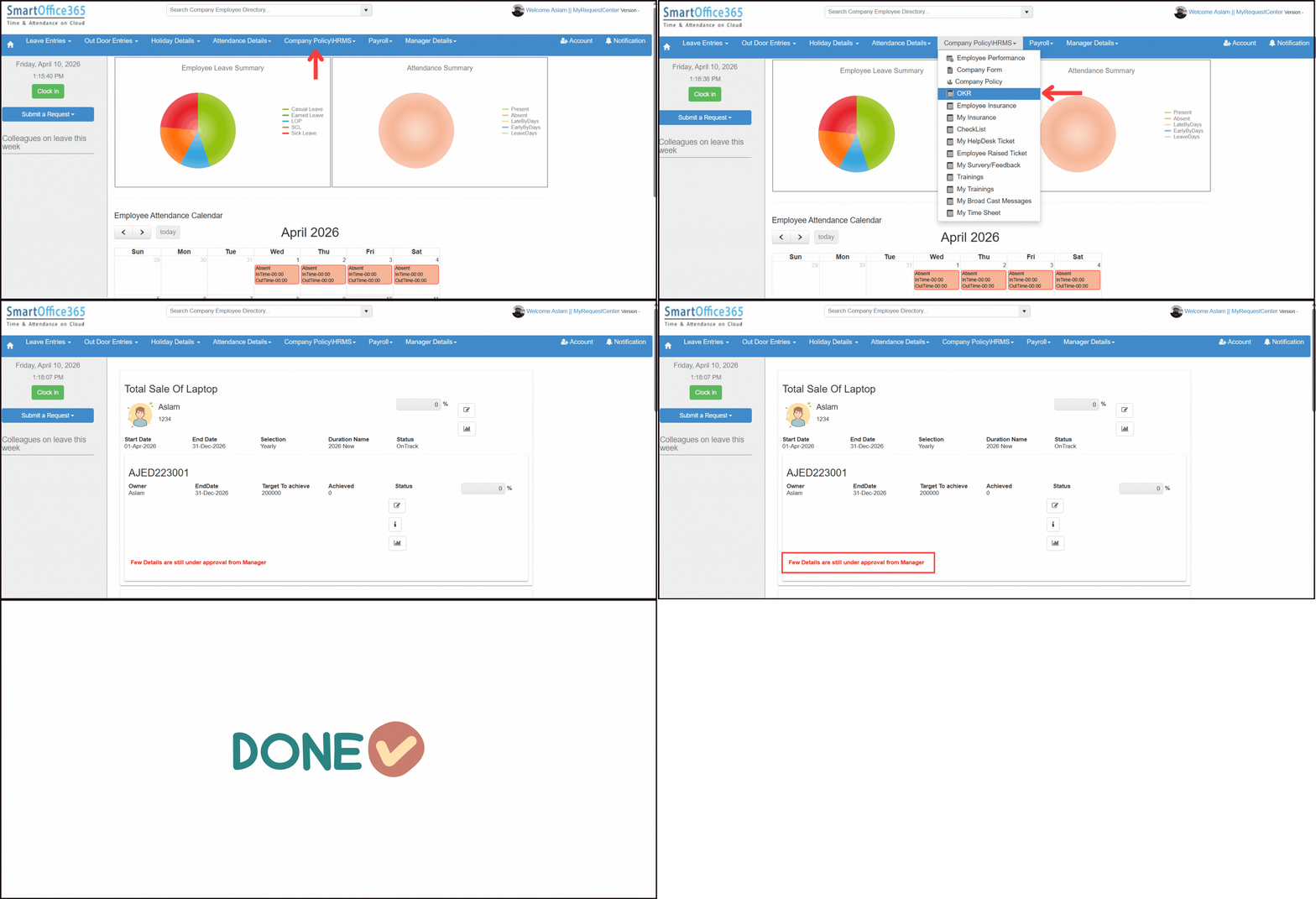
7. The details submitted need to be approved, notification will appear stating “Details are still under approval” until approved.
Attendance Updates
1. Send Push Notification to Manager - Employee punch notifications can be sent to managers on SmartOffice Mobile app.
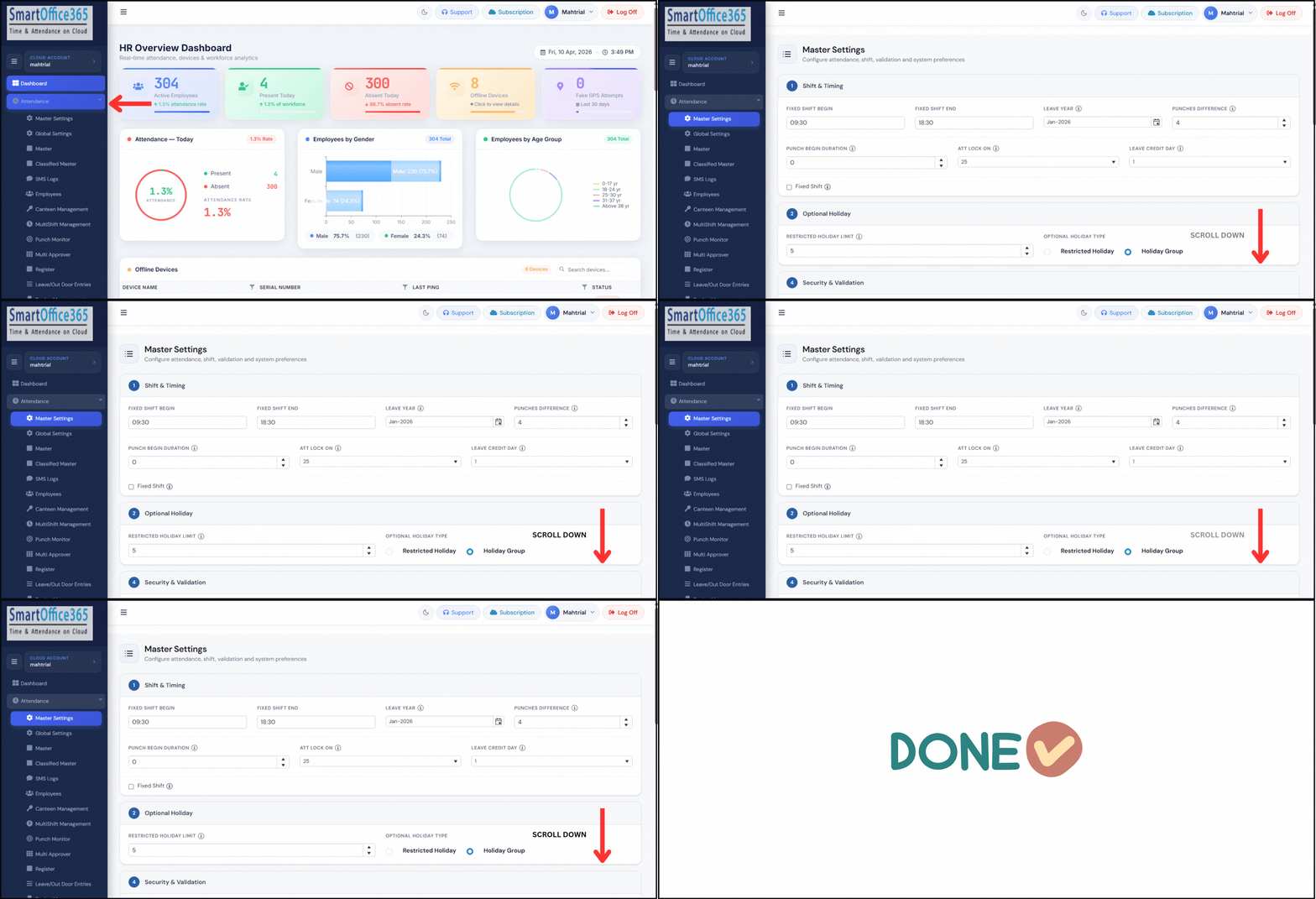
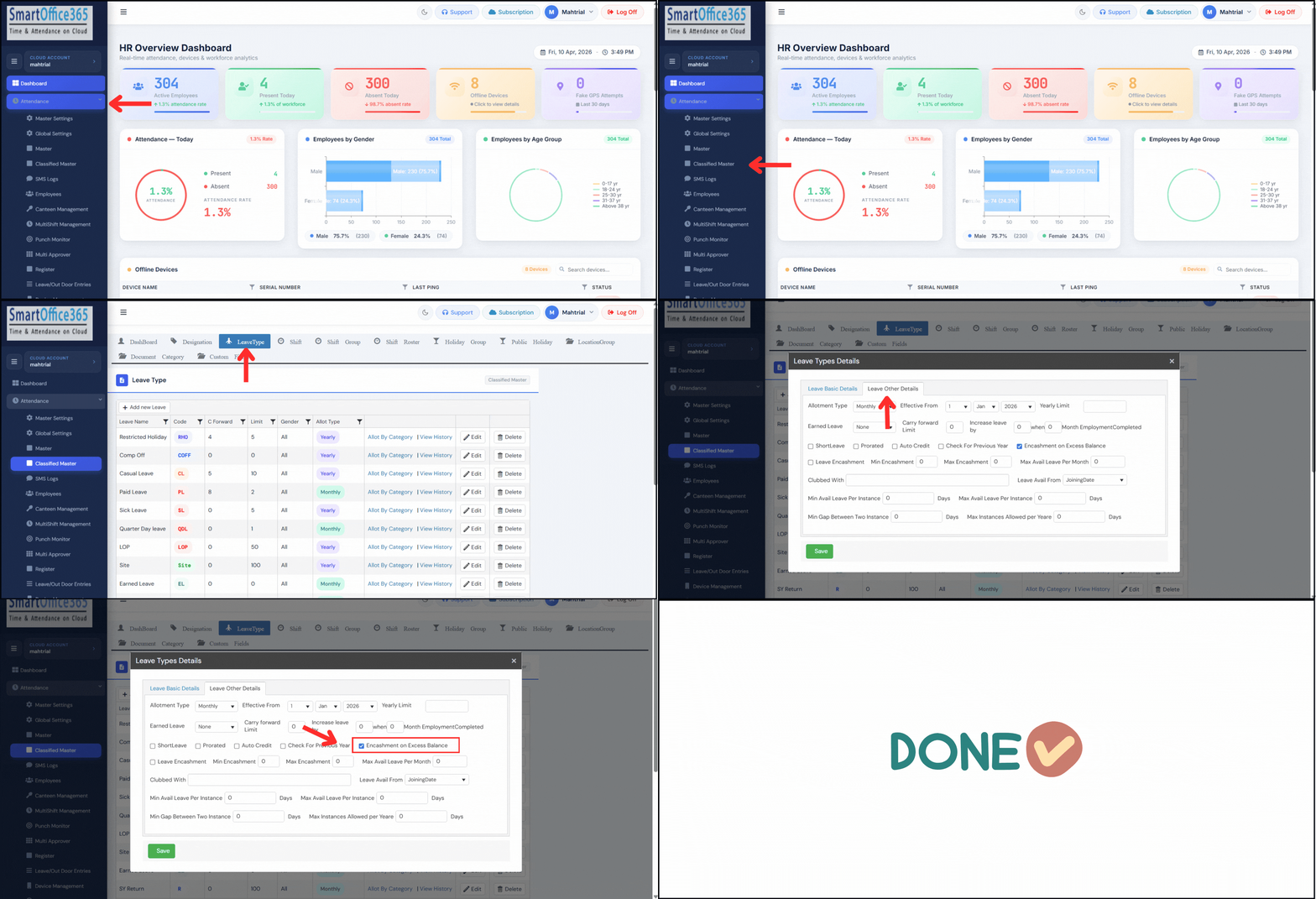
2. Now encash Leave balance, only in excess of carryforward limit.
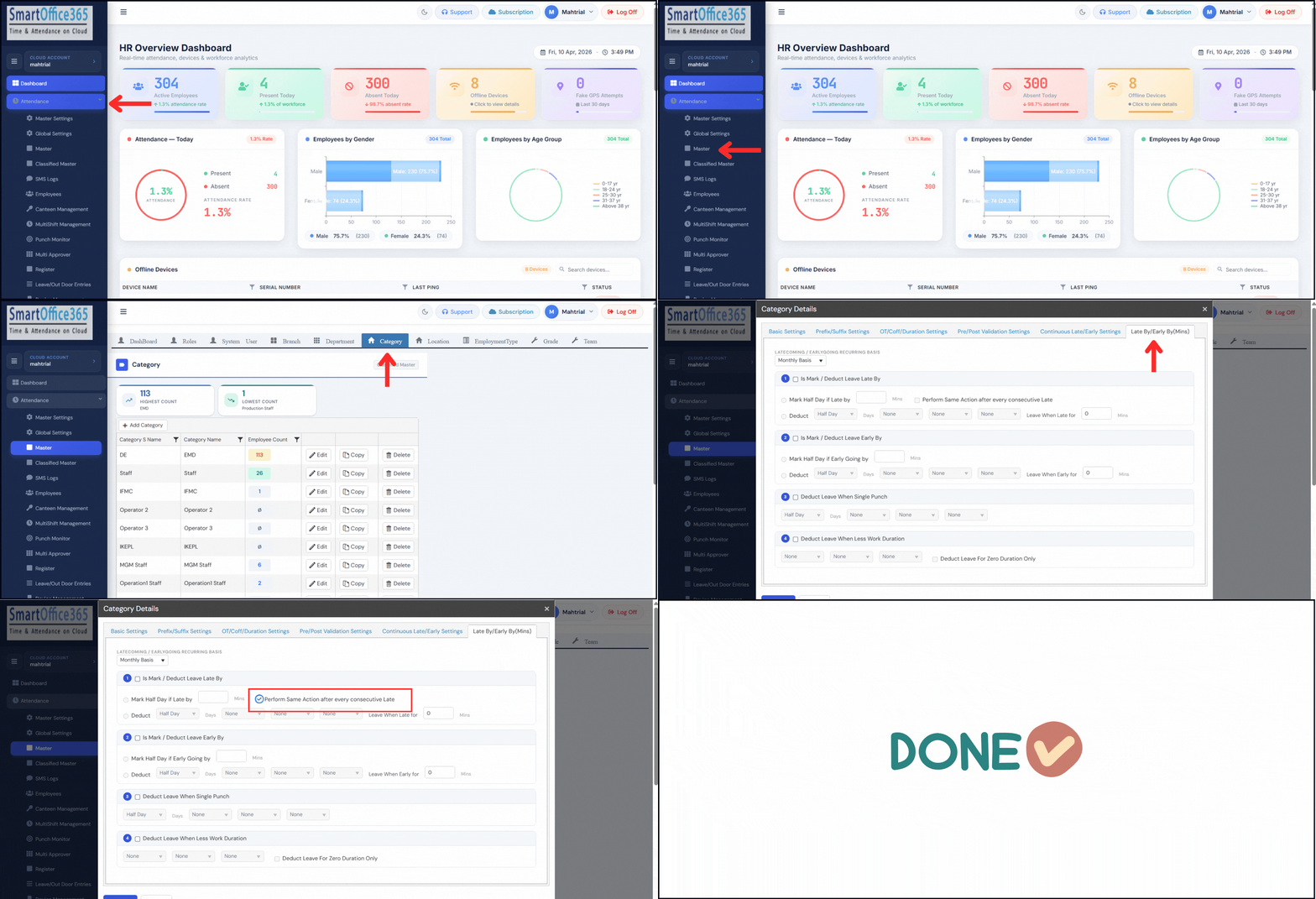
3. Now define Grace time for late coming on a Monthly basis and deduct leave or Mark Absence on every late after limits are exceeded.
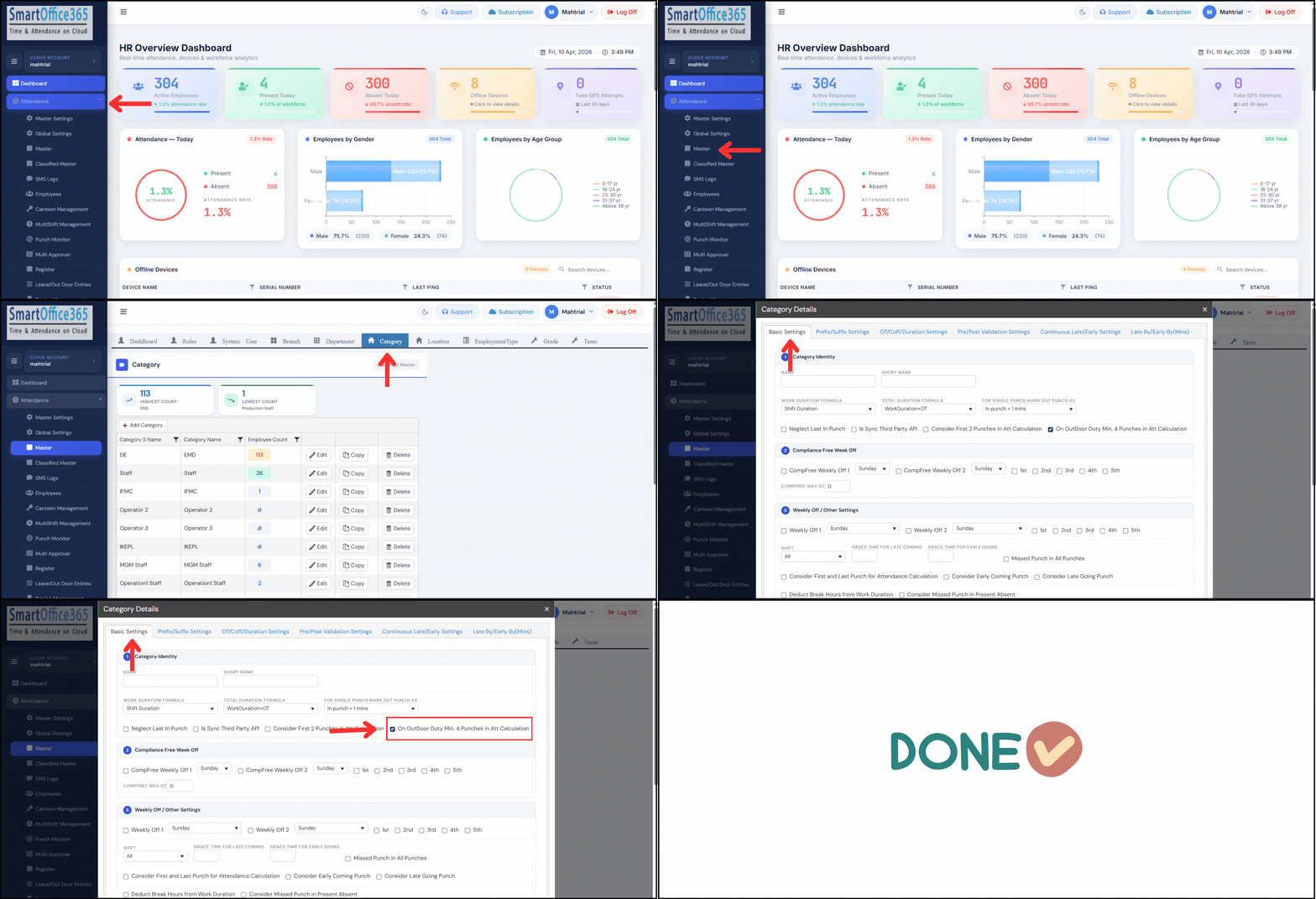
4. Enforce minimum 4 punches, when employees goes on Outdoor Duty.
1. Send Push Notification to Manager - Employee punch notifications can be sent to managers on SmartOffice Mobile app.
2. Now encash Leave balance, only in excess of carryforward limit.
3. Now define Grace time for late coming on a Monthly basis and deduct leave or Mark Absence on every late after limits are exceeded.
4. Enforce minimum 4 punches, when employees goes on Outdoor Duty.
3. Now define Grace time for late coming on a Monthly basis and deduct leave or Mark Absence on every late after limits are exceeded.
4. Enforce minimum 4 punches, when employees goes on Outdoor Duty.